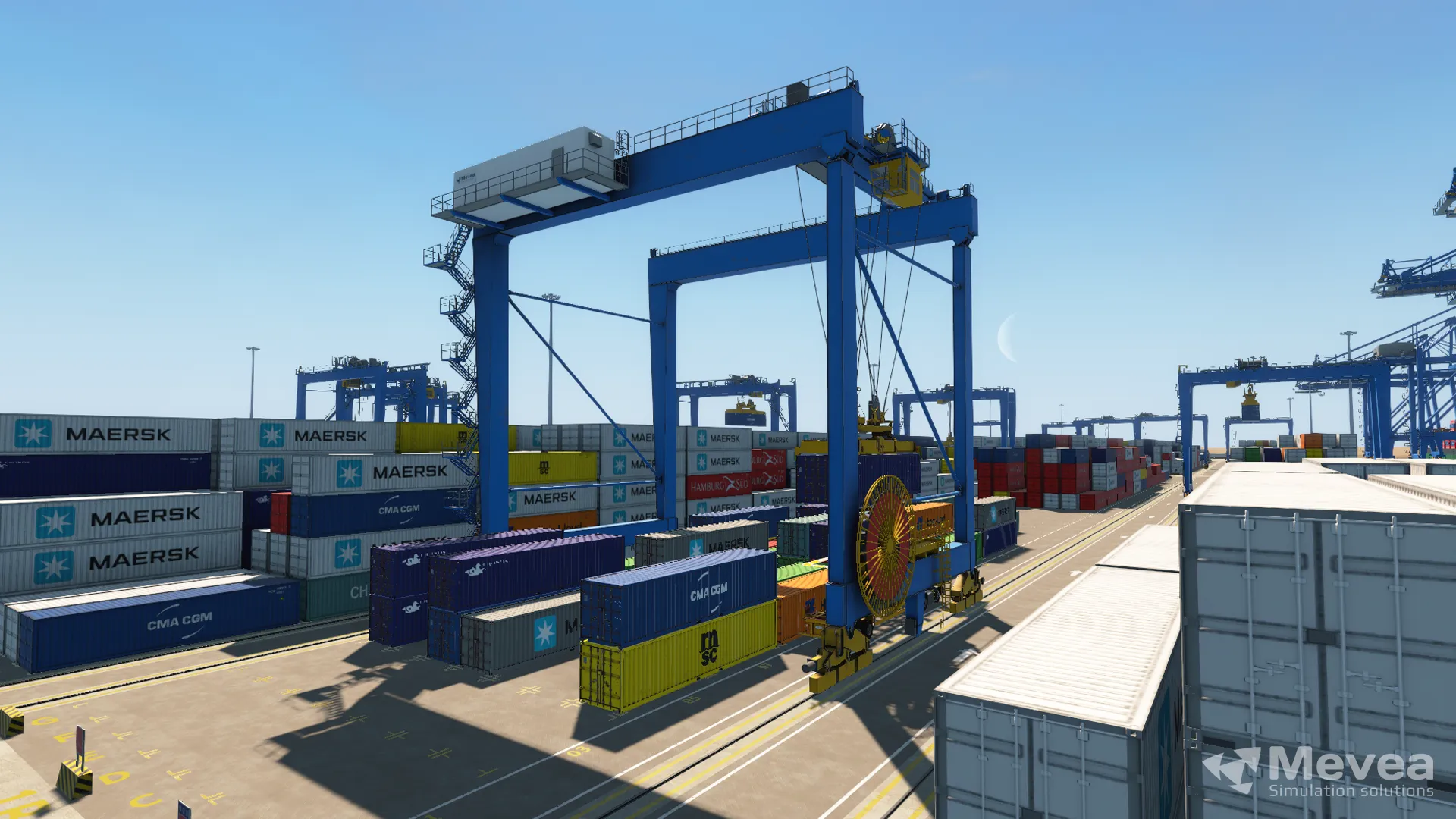
Choosing a port training simulator comes down to matching the system’s physical fidelity, equipment coverage, and hardware configuration to your terminal’s actual operations and long-term training goals. The right simulator should replicate the real feel of your cranes and handling equipment closely enough that operators transfer their skills directly to the job. The questions below walk through every key decision factor, from equipment types and simulation quality to hardware tiers and return on investment. The information and insights in this article are drawn from the on-demand Mevea webinar How Port Operators Are Trained with Simulators, featuring a real customer case from Terminal Portuario de Guayaquil (TPG), part of Hanseatic Global Terminals (HGT).
What Types of Port Equipment Can Training Simulators Cover?
A modern port training simulator can cover the full range of container terminal and harbour equipment, including Ship-to-Shore (STS) cranes, Rubber Tyred Gantry (RTG) cranes, Rail Mounted Gantry (RMG) cranes, Mobile Harbour Cranes (MHC), reach stackers, straddle carriers, empty container handlers, terminal tractors, and offshore cranes. Leading platforms also support remote-operated equipment training.
This breadth matters because terminals rarely rely on a single machine type. A training programme that spans your entire equipment fleet means operators can build competency across roles, and your investment in a simulator platform scales across more of your workforce. We design our simulators to cover all of these categories, with realistic loading and unloading scenarios that reflect the actual conditions operators encounter on the quay, including varying weather, sea states, and cargo configurations.
When evaluating a container terminal simulator, confirm that it supports the specific crane models and handling equipment your terminal runs today, and that the provider can expand coverage as your fleet evolves.
What Is Simulation Fidelity and Why Does It Matter for Operator Training?
Simulation fidelity is the degree to which a simulator accurately reproduces the physical behaviour, controls, and sensory feedback of real equipment. High fidelity means an operator sitting in the simulator experiences machine responses, load swing, hydraulic feel, and motion cues that closely match the actual crane or handler. Low fidelity creates a skills gap between training and real-world performance.
Fidelity is not just about graphics. A visually impressive simulator that does not replicate the mechanical and hydraulic behaviour of a real STS crane will leave operators underprepared. As highlighted in the Mevea webinar, an experienced terminal professional from TPG noted when comparing simulator providers that the priority was finding a system that could “replicate exactly, more accurately, the real thing of a ship-to-shore and an RTG,” noting that with some systems “you can feel that it’s not the same.”
Physics-based simulation is the technical foundation of high fidelity. Our simulation software uses a proprietary physics engine that models machine mechanics, hydraulics, and drivetrain behaviour in real time. This means the simulator does not simply play back pre-recorded motion; it calculates how the machine would actually respond to every operator input, every load condition, and every environmental factor. The result is training that genuinely transfers to the real machine from day one.
What Hardware Configurations Are Available for Port Simulators?
Port simulator hardware typically comes in three tiers: desktop workstations for classroom and introductory training, mid-range platforms with motion systems and multiple screens for immersive skill development, and full-scale cab replicas for maximum realism. The right tier depends on your training volume, budget, available space, and the complexity of the skills you need to develop.
We offer three hardware levels that reflect this progression:
- Mevea Desktop is a compact, portable workstation suited to classroom instruction and early-stage familiarisation. It is easy to transport between sites and requires minimal setup.
- Mevea Pro is a professional-grade platform featuring a 3 DOF motion system and between three and ten screens. The motion platform adds physical cues that significantly improve immersion and skill retention without the footprint of a full cab.
- Mevea Master King is a full-scale cab simulator built for maximum immersion. It replicates the operator environment of the actual machine and is suited to advanced training and proficiency assessment.
- Mevea ROS is a dedicated simulator for remote-operated port equipment, addressing the growing adoption of automation in modern terminals.
All configurations run the same physics engine, so training quality is consistent across tiers. The choice of hardware shapes the depth of immersion, not the accuracy of the underlying simulation.
How Does a Simulator Instructor Station Support Training Management?
A simulator instructor station is a dedicated control interface that allows a trainer to manage training sessions, monitor operator performance in real time, adjust scenario conditions on the fly, and generate detailed performance reports. It is the operational backbone of a structured training programme and is what separates a simulator from a simple practice tool.
Every simulator we provide includes the Mevea Instructor Station as standard. Through this workstation, instructors can introduce variables such as wind, visibility, or equipment faults during a live session to test how operators respond under pressure. After each session, the system produces objective performance data that supports structured feedback conversations and tracks progress over time.
For training managers, the reporting capability is particularly valuable. Rather than relying on an instructor’s subjective impression, you have measurable data on cycle times, load control, positioning accuracy, and error frequency. This makes it straightforward to identify which operators are ready to progress, which need additional practice, and where the training programme itself might need adjustment.
What ROI Can Terminal Operators Expect from Simulator-Based Training?
Terminal operators can expect return on investment from simulator-based training across four main areas: reduced training costs, fewer equipment incidents, faster operator productivity ramp-up, and lower environmental impact. The combined effect means the simulator pays for itself through operational savings rather than functioning purely as a cost centre. These benefits are illustrated in detail through the TPG customer case presented in the Mevea webinar, where improving operator training while reducing costs and avoiding operational disruptions was identified as a central challenge for the terminal.
The cost savings are straightforward to trace. Training on real cranes consumes fuel, occupies equipment that could be handling cargo, and carries the risk of damage to machinery, containers, or infrastructure. Simulator training eliminates those costs during the learning phase. Operators who complete structured simulator programmes also tend to reach productive performance levels faster once they transition to real equipment, because they have already built muscle memory and decision-making habits in a controlled environment.
The safety benefit is harder to quantify but equally significant. Operators can practise emergency responses, equipment fault scenarios, and difficult weather conditions repeatedly without any risk to themselves, their colleagues, or the equipment. Reducing incident frequency protects both people and the terminal’s operational continuity.
Environmental impact is a less obvious but growing consideration. Every hour of simulator training replaces an hour of real machine operation, directly reducing fuel consumption and CO2 emissions associated with the training process.
Should You Choose a Desktop, Pro, or Full-Cab Port Simulator?
Choose a desktop simulator for introductory training, multi-site programmes, or budget-constrained environments where portability matters. Choose a pro-level platform with motion when you need immersive skill development without a permanent installation. Choose a full-cab simulator when maximum realism is required for advanced operator certification or when you are training on high-stakes equipment such as STS cranes.
The decision should not hinge on purchase price alone. A purchasing decision of this kind should consider much more than visual appearance or upfront cost. The simulator needs to work as a long-term training system that matches your terminal’s actual machinery, processes, and maintenance realities. Ask whether the hardware uses standard, replaceable components. Ask how the provider handles customisation requests. Flexibility in configuration and ongoing support are often the factors that determine whether a simulator remains useful five years from now or becomes a maintenance burden.
One practical approach is to start with a clear picture of your training objectives. If you are onboarding large numbers of new operators, a desktop or pro configuration may deliver the best throughput. If you are certifying experienced operators on complex harbour crane or STS crane operations, a full-cab environment will produce more transferable skills. And if your terminal is moving toward remote-operated equipment, a dedicated remote operations simulator should be part of the conversation from the start.
The right operator training simulator is ultimately the one that most accurately replicates your equipment, fits your training workflow, and has a supplier willing to adapt it as your needs change.
Watch the Mevea Webinar: How Port Operators Are Trained with Simulators
The on-demand replay of the Mevea webinar How Port Operators Are Trained with Simulators is now available. The webinar features a real customer case from Terminal Portuario de Guayaquil (TPG), part of Hanseatic Global Terminals (HGT), including direct insights from the Technical Manager at TPG on how simulator-based training has helped the terminal improve operator readiness, reduce costs, and avoid disruptions to live operations.
Watch the on-demand webinar replay to see how leading port operators are putting simulator-based training into practice.
This content was generated with the help of AI and it may contain mistakes